

.svg)

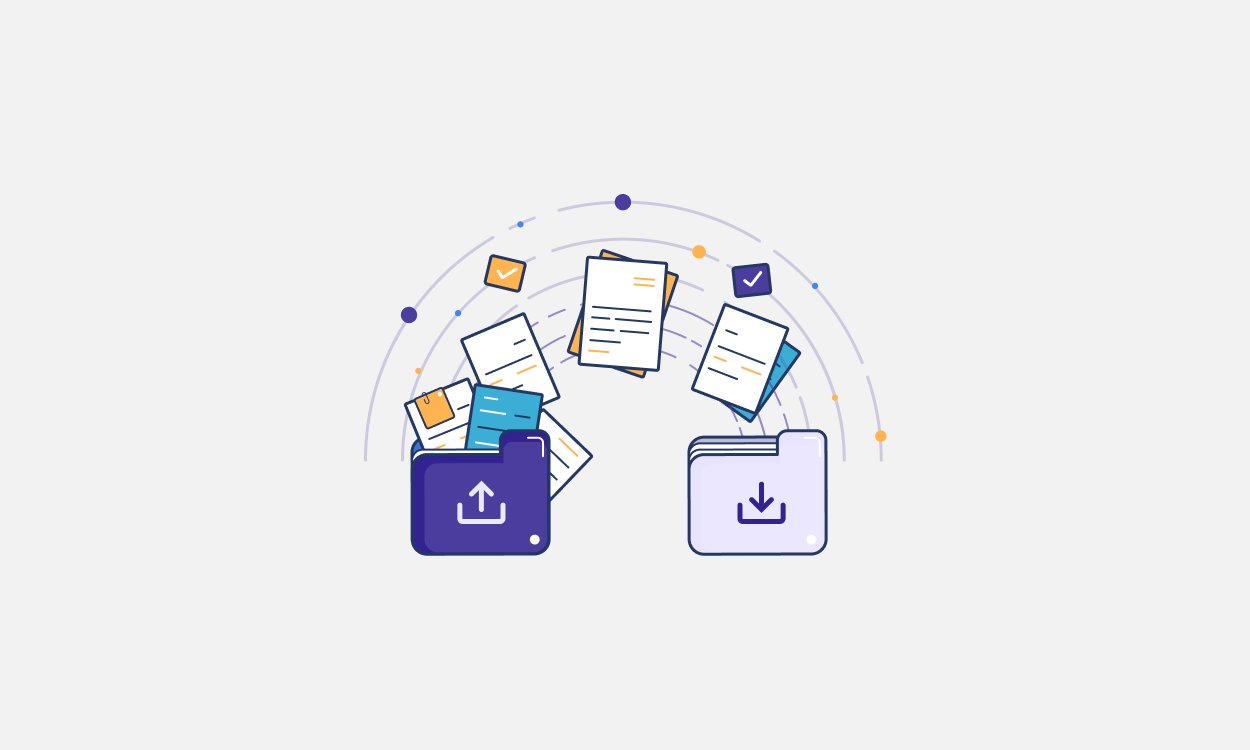
A data room is a secure space used to store, organize, and share confidential business information with authorized parties. Companies use data rooms during sensitive transactions such as Mergers and Acquisitions (M&A), fundraising, audits, IPOs, and legal proceedings.
A data room allows a company to:
- Decide who can see which documents
- Monitor when and how documents are accessed
- Maintain confidentiality during high-stakes processes
Data rooms are commonly used by founders, investors, acquirers, legal teams, auditors, and regulators.
What is a data room used for?
1. Data rooms in M&A
In mergers and acquisitions, data rooms are central to the due diligence process. Sellers use data rooms to disclose information in a controlled manner, while buyers review documents to evaluate risks, value, and strategic fit.
Access controls and audit logs help maintain confidentiality while multiple bidders or advisors are involved.
2. Data rooms for investors during fundraising
During fundraising, companies use data rooms to share financials, ownership records, and key documents with potential investors. A well-organized data room can speed up diligence and reduce back-and-forth questions.
3. Data rooms for IPOs
Companies preparing for an IPO use data rooms to coordinate document sharing with underwriters, legal teams, auditors, and regulators.
4. Data rooms for audits and legal proceedings
Auditors and legal teams often rely on data rooms to review sensitive information securely. Documents can be shared on a view-only basis with clear records of access.
Can you use Google Drive as a data room?
Many founders start by sharing fundraising documents over Google Drive because it is convenient and familiar. This works for early conversations, but Google Drive is built for general file sharing and lacks the controls required for formal due diligence.
Once diligence begins, teams need more than basic access sharing. They need to limit how information is disclosed, understand how investors are engaging with documents, and ensure access does not extend beyond what is intended.
Virtual data rooms are purpose-built for these requirements and provide capabilities that general cloud storage tools like Google Drive do not, including:
- Granular, document-level permissions, allowing companies to control exactly who can view each file
- Watermarking and download restrictions to reduce the risk of documents being copied or shared outside the process
- Detailed activity logs, including views and IP addresses
- Private sharing with multiple investors, without exposing who else has access
As fundraising discussions become more serious, investors typically expect information to be shared through a data room. Using a virtual data room signals preparedness, protects sensitive information, and allows companies to manage diligence without losing control.
What is in a data room?
The contents of a data room depend on its purpose, but most data rooms include the following categories of information.
1. Core business documents
These provide a high-level understanding of the company:
- Pitch deck or company overview
- Business plan or strategy summary
- Market analysis and competitive landscape
- Sales and marketing materials
2. Financial information
This information helps reviewers assess financial health and risk:
- Profit and loss statements
- Balance sheets and cash flow statements
- Financial projections and budgets
- Audit reports, if available
- Cap table and ownership records
3. Legal and compliance documents
These establish the company’s legal standing:
- Articles of incorporation and bylaws
- Shareholder agreements
- Customer and vendor contracts
- Regulatory filings and licenses
- Litigation or dispute records, if any
4. Equity, ownership, and governance records
Often critical in diligence:
- Cap table history
- Stock option plans and grants
- Board and shareholder approvals
- Investor rights agreements
5. Employee and intellectual property information
These help assess operational continuity and IP ownership:
- Employment and consultant agreements
- IP assignment agreements
- Trademarks, patents, and licenses
- Technology or product documentation (as relevant)
Best practice: Share documents in stages, granting access based on the phase of the transaction.
Data rooms for startups and enterprises
Data rooms are no longer used only during large-scale transactions.
a. Data rooms for startups
Most early-stage startups create a data room reactively, usually when an investor asks for one during fundraising.
However, startups that fundraise repeatedly or work with institutional investors increasingly maintain an ongoing data room rather than assembling documents from scratch each time. This approach is considered a best practice because it enables faster responses to diligence requests, ensures consistency across pitch decks, cap tables, and financials, and allows startups to reuse materials across multiple investor conversations.
b. Data rooms for growing companies and enterprises
As companies scale, they encounter recurring diligence and review cycles, including audits and regulatory reviews, ongoing investor and board reporting, and strategic transactions.
In these settings, data rooms are not set up once and forgotten. They are actively maintained and updated after material events such as new fundraises, audits, equity grants, or structural changes. This level of ongoing maintenance is standard operating practice for mature private companies and public companies.
At this stage, the data room becomes an integral part of how the company ensures preparedness, controls access to sensitive information, and maintains a clear record of who has reviewed what and when.
EquityList supports both early-stage startups preparing for fundraising and larger companies managing recurring equity- and governance-related diligence.
Data room software and providers
There are two broad ways companies set up data rooms today:
a. Standalone virtual data room software
Traditional virtual data room providers focus exclusively on document storage and sharing for diligence. These tools typically offer:
- Secure file hosting
- Granular access controls
- Activity tracking and audit logs
While effective, standalone data rooms often sit outside a company’s core systems. This means founders and finance teams still manage equity, cap tables, and compliance in separate tools, then duplicate or export information into the data room when diligence begins.
b. Built-in data rooms within core platforms (EquityList)
An alternative approach is using a data room that is built into an existing system of record, such as an equity or cap table platform.
With EquityList, the data room is embedded directly into the platform where ownership, equity, and compliance data already live. This removes the need to maintain a separate tool or reconcile documents across systems.
For companies that already use EquityList to manage equity, this makes the data room a natural extension rather than an additional workflow.
How much does a virtual data room cost?
Standalone virtual data rooms typically cost between $50 and $1,000 per month, depending on:
- Storage limits
- Number of users
- Advanced security or analytics features
For early-stage founders, this can feel like an unnecessary expense, especially during fundraising, when multiple tools are already in use.
Integrated data rooms with EquityList
With EquityList, the data room is included as part of the platform.
Instead of paying separately for a virtual data room, founders and companies get:
- A secure data room alongside cap table and equity management
- One centralized place for pitch decks, cap tables, financials, and compliance documents
- Access controls such as email verification, link-based invites, password protection, and watermarking
- Detailed activity logs including views, and IP tracking
This allows companies to stay diligence-ready without adding another expensive tool to their stack.
Get your data room now
How to create a data room on EquityList?
Creating a data room on EquityList follows the same principles as setting up any virtual data room.
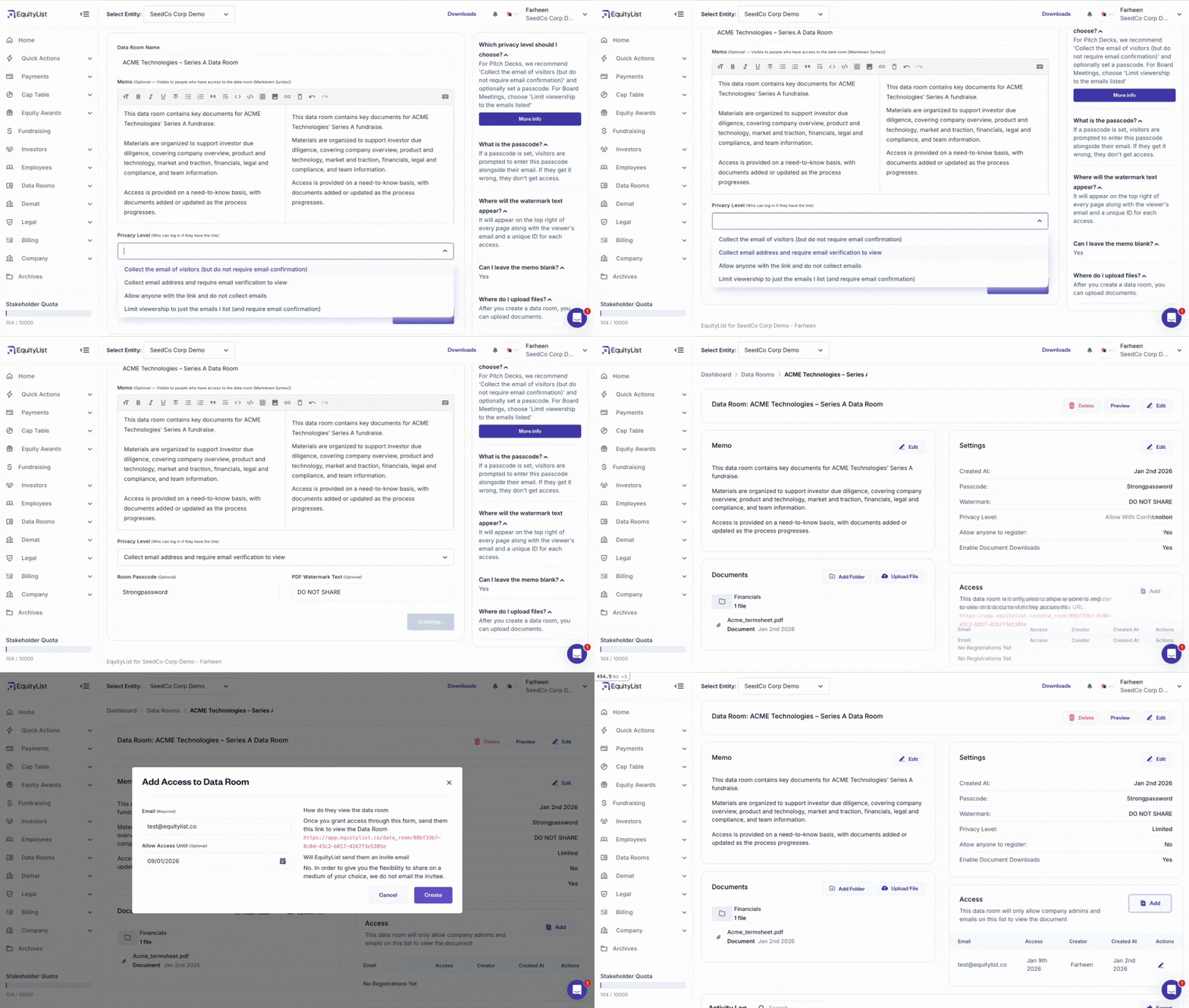
1. Define the purpose of the data room
When you create a new data room, start by clearly defining what the room is for.
Naming the data room and setting its purpose helps you decide what documents belong inside and how restrictive access should be. At this stage, you can also configure the privacy level of the data room based on how controlled you want access to be.
EquityList allows you to choose from multiple privacy options, including:
- Collecting visitor email addresses without requiring verification
- Collecting emails and requiring email verification before access
- Allowing access via link without collecting emails
- Restricting access only to a predefined list of email addresses with mandatory verification
These options let you balance ease of access with security, depending on how sensitive the information is and how formal the diligence process has become.
You can also set:
- A room passcode for an additional layer of access control
- PDF watermark text (optional) to discourage unauthorized sharing
2. Upload and organize documents
Once the data room is created, upload the documents you want to share and organize them into a clear folder structure. Clear organization helps reviewers navigate the data room quickly and reduces follow-up questions.
3. Invite viewers and manage access
Investors and reviewers can be invited to the data room by email, with access limited to a specific period using an expiry date.
4. Monitor activity and engagement
EquityList provides an activity log for each data room, showing:
- Who accessed the data room
- Which documents were viewed or downloaded
- IP addresses and timestamps
This visibility helps founders and teams understand engagement levels and maintain a clear audit trail during diligence.
Get your data room now